Formosa Virtual is an isometric, pixel-art virtual shopping town inspired by downtown Formosa, Argentina. You walk your avatar through Plaza San Martín, 25 de Mayo Avenue and the Vuelta Fermoza riverfront, enter local shops, talk to NPCs, fill your cart and place the order via WhatsApp. With real-time multiplayer and AI-moderated chat.
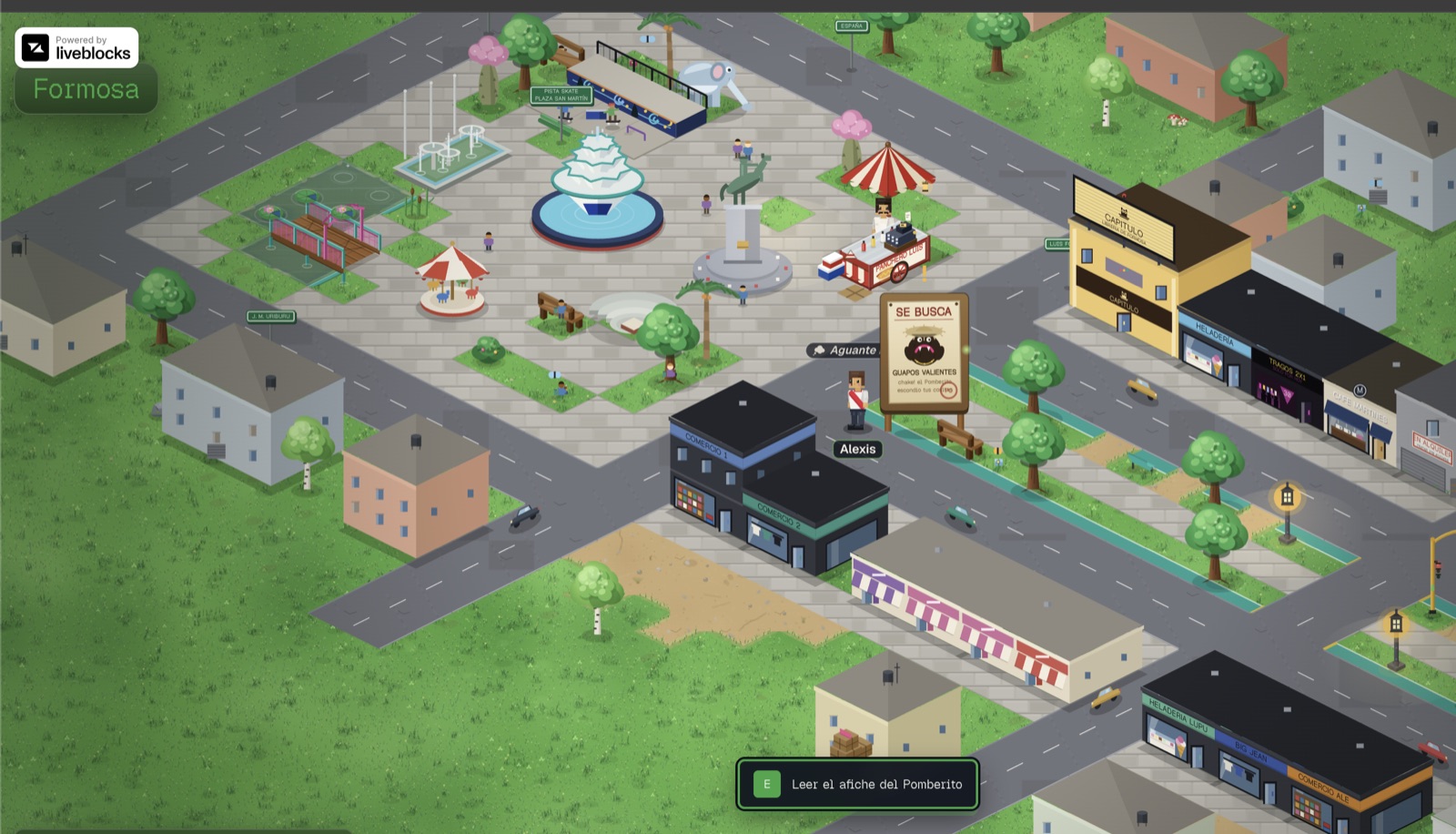
Plaza San Martín in the game — with my avatar standing by the Pomberito "Wanted" poster.
This post covers the technical decisions that cost me the most — and the ones I enjoyed the most.
The idea: e-commerce disguised as a game
Shops in Formosa already sell through WhatsApp; it's the real local sales channel. So instead of building "yet another online store" nobody would use, the question became: what if shopping meant walking through your own city? The game is the interface; checkout is a pre-written WhatsApp message with your order.
That set the technical north star for the MVP: zero friction and zero infrastructure. No sign-up, no payment gateway, no database.
The starting point
I didn't start from scratch: I began with the v0 shopify-game template and it ended up unrecognizable. I replaced Shopify with my own catalog + WhatsApp, translated everything into Rioplatense Spanish, and redesigned the entire world to replicate Formosa's real urban corridor. The stack landed on Next.js 16, React 19 and Tailwind 4.
I built the whole game in collaboration with Fable 5, Anthropic's model, right when its first version was released. Beyond being a project for my city, it was a personal experiment: how far can you get building a game engine from scratch with AI as a pair programmer? Spoiler: much further than I expected — but only if you bring the judgment, the context and the right reference material.
Starting from a template doesn't diminish the project — what matters is what you build on top. In my case, the entire graphics engine, the world, the multiplayer and the checkout are my own.
An isometric engine with no game libraries
The most radical decision: no Phaser, no PixiJS, no game engines. Everything is raw Canvas 2D — about 22,000 lines split between procedural drawing (iso.ts, ~15,000 lines), the world definition and the game loop.
Projection
The foundation of any isometric world is converting grid coordinates to screen space. With 64×32 tiles:
export const TILE_W = 64;
export const TILE_H = 32;

// Converts (continuous) grid coordinates to the cell's center on screen.
export function worldToScreen(gx: number, gy: number): Vec2 {
  return {
    x: (gx - gy) * (TILE_W / 2),
    y: (gx + gy) * (TILE_H / 2),
  };
}
Two lines of math — but everything else hangs off them.
The problem I didn't see coming: draw order
In isometric rendering, "what draws on top of what" is not trivial. The classic heuristic (sort by x + y) breaks as soon as you have buildings spanning multiple tiles: the front corner of a 2×2 house always yields a huge value, so a character standing by the door got drawn behind the wall.
The fix was a topological ordering by footprint: every entity declares the range of tiles it occupies, and a behind(a, b) function decides case by case:
- If they share rows on one axis, depth is decided by the other axis.
- If they overlap on both axes (the player hugging the wall of a house), depth is decided by the anchor — the character's feet — not the building's front edge.
- Only when they're diagonally separated does the classic front-edge heuristic apply.
With that, a stable insertion sort per frame resolves every occlusion without per-entity-type special cases.
Baked sprites, crisp at any zoom
Redrawing hundreds of procedural props (trees, lampposts, benches) with path operations every frame doesn't scale. The engine bakes each prop once to an offscreen canvas and then copies it with drawImage.
The subtle part is zoom: if you bake at 1x and the player zooms in, the browser rescales the bitmap and it looks blurry. So each sprite is baked at device scale (the integer bucket of dpr × zoom, capped at 3x) and only re-baked when the bucket changes — rarely, never per frame. An LRU cache of 800 sprites keeps memory in check, including the ~96 grass flora variants.
Rebuilding a real city in 76×30 tiles
The world is an east-west corridor replicating Formosa's actual downtown:
- Plaza San Martín to the west: the equestrian monument, the Irupé fountain, the lake with its little bridge, the skatepark and its 8 walking paths.
- 25 de Mayo Avenue: a dual carriageway with a walkable central promenade, the Historic Clock, continuous storefronts and the Cathedral.
- Vuelta Fermoza riverfront to the east: white balustrade, palm trees, the Government House with its animated flag, and the pier overlooking the Paraguay River.
And here's what made the difference: we didn't work from memory. We gave the model aerial drone photos of Formosa as reference, and from those came the proportions of the plaza, the layout of the dual carriageway with its central promenade, and the curve of the riverfront along the river. Seeing the city from above is, quite literally, the same perspective as an isometric world — the photos worked almost like blueprints.
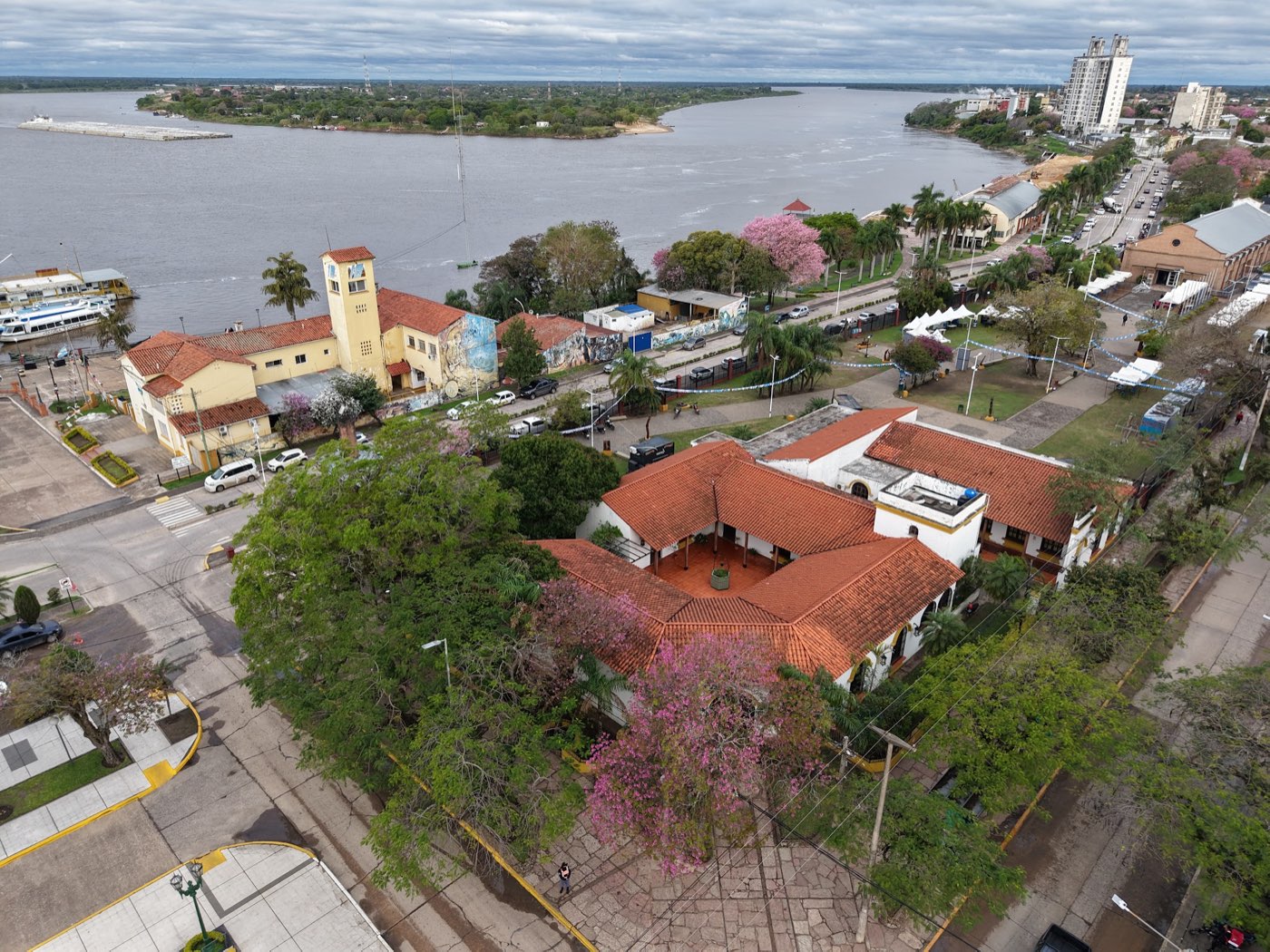
The riverfront area and the Paraguay River, with lapacho trees in bloom. Photo: Gastón Scheinner.
The photos were provided by my friend Gastón Scheinner, who shot them with his drone. Thank you, Gastón — without that material, the map would have been a generic approximation instead of a place someone from Formosa recognizes at first glance.
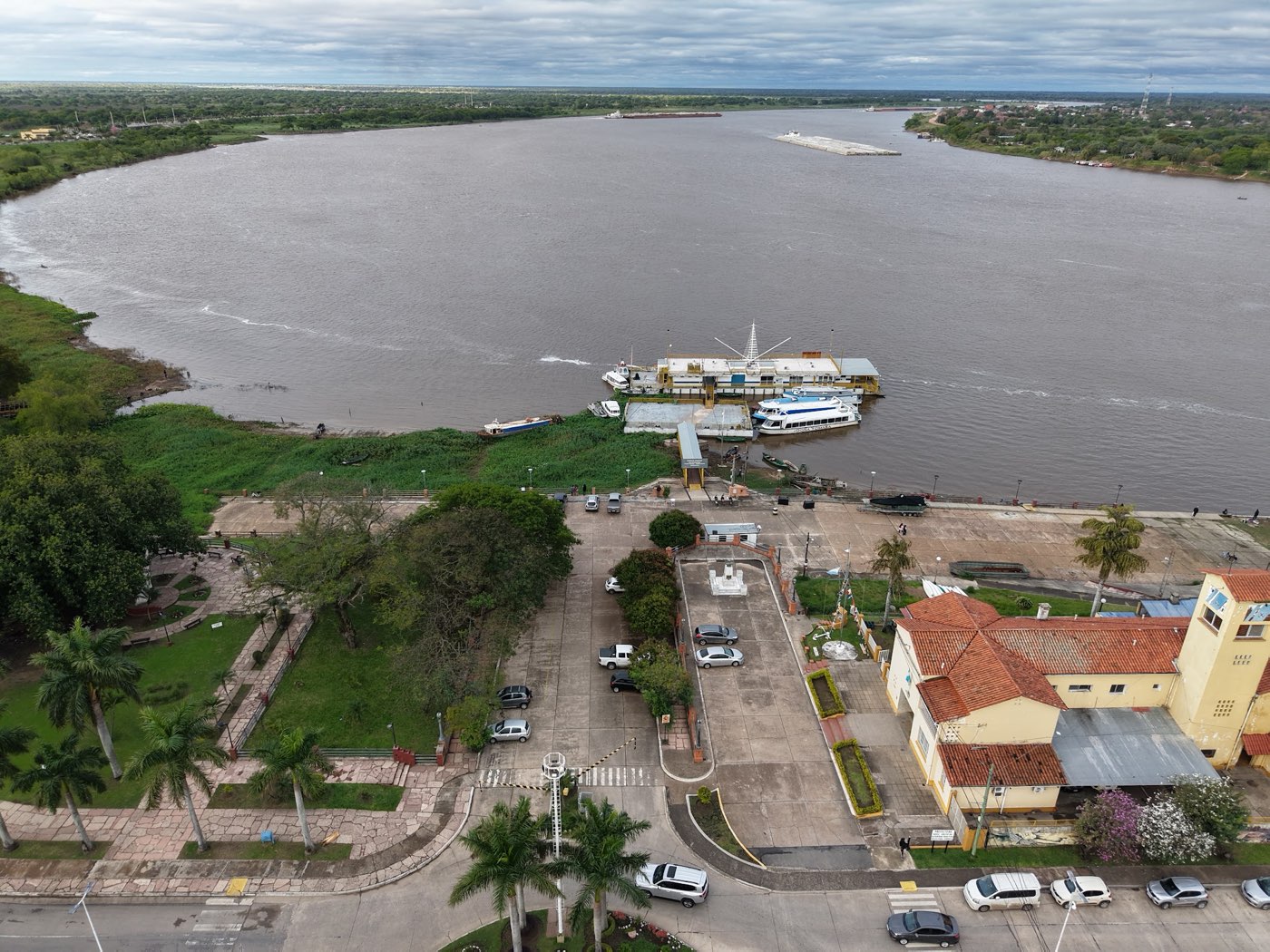
The pier on the Paraguay River — in the game, it's the lookout pier at the eastern end of the map.
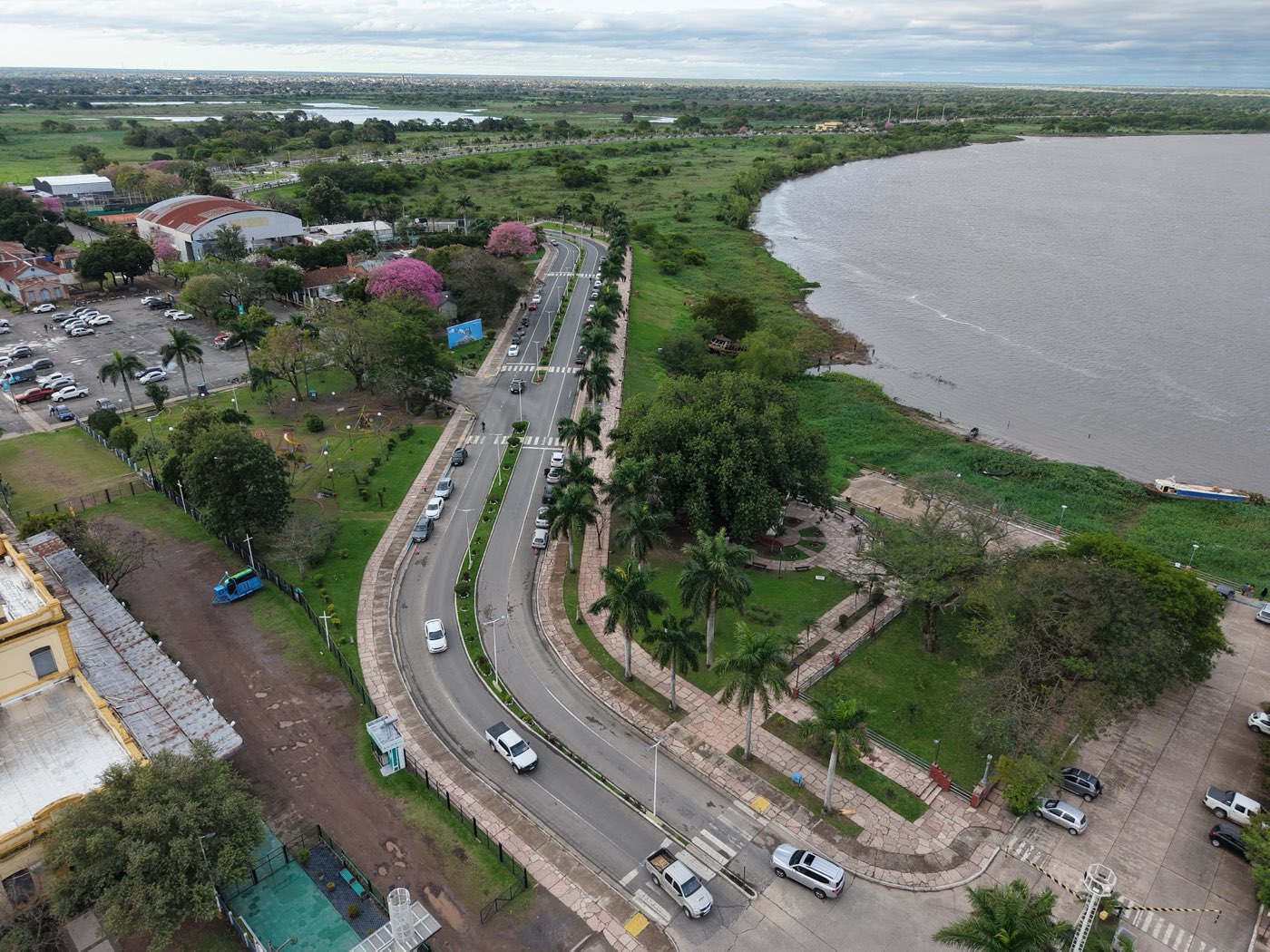
The riverfront avenue with its palm trees and stone walkways, replicated as-is in the game world.
Everything is procedurally drawn: no spritesheets, no image assets. Each landmark is code drawing paths onto the canvas. It's slower to produce than importing prefab tiles, but the result is unique — and adding a new playable shop takes three touches: its metadata, its products, and its position on the map.
No database, on purpose
The catalog lives in a static TypeScript file, and checkout is a Server Action that builds the order message and returns a wa.me link. Nothing to administer, nothing to go down.
That's not a limitation — it's an MVP decision with the door left open: migrating to a database only requires replacing one module with a query returning the same Category[] type. The interface is already defined; the implementation is swappable.
Multiplayer and AI moderation
Two features that sound big but took little custom code:
- Multiplayer: Liveblocks presence syncs avatar positions and appearance, with automatic room sharding when one fills up. Without the API key, the game degrades cleanly to single-player.
- AI chat: messages and player names go through an AI moderation endpoint. If the service is unavailable, moderation fails open — only the rate limit remains — because in a casual game, blocking everyone's chat is worse than letting one message slip through.
That pattern repeats across the whole project: every external dependency is optional and degrades gracefully.
What's next
NPC pedestrians, more landmarks (the Predio Ferial fairgrounds, the port, the Don Bosco church), a database-backed catalog with a panel for shops to manage their products, and Mercado Pago payments.
If you're from Formosa — or just curious to walk through an Argentine city in pixel art — the game is live. And if you're building something with Canvas 2D and got stuck on isometric depth sorting, reach out: I lost enough hours there to save you a few.